
Verify in Under a Minute: YouTube Chapter Summaries for Busy Viewers
Verify in Under a Minute: YouTube Chapter Summaries for Busy Viewers

YouTube chapter summaries are AI-generated, timestamped breakdowns of a video’s content that tell you what to watch, skip, or save before you spend a single minute on it. They read like a table of contents built after the fact: short headings, key points, and exact timestamps mapped to what the speaker actually said. The fastest way to get a reliable one is a transcript-first tool like Baitless, which turns a two-hour lecture or interview into a scannable chapter list in seconds.
TL;DR:
- Accurate summaries rely on high-quality transcripts; noisy audio or missing captions significantly increase the risk of hallucinated or incorrect claims.
- Visual or emotional nuances are often lost in AI-generated summaries, making it necessary to watch key timestamps for demonstrations or tone.
- The most effective pipeline is a transcript-first approach, especially for spoken-word content, with costs rising for hybrid and multimodal methods when visual context is essential.
- Trustworthiness can be quickly assessed by checking one timestamp against the video and requesting exact quotes to confirm accuracy.
- Baitless offers a fast, browser-based solution for timestamped chapter summaries, with limited free use and paid options for frequent users.
Table of Contents
- How Do AI Chapter Summaries Actually Work?
- Which Summary Format Actually Fits Your Situation?
- How Do You Build an Accurate Chapter Summary Step by Step?
- How Do You Know If a Summary Is Trustworthy?
- Try Baitless: Chapter Summaries Without the Two-Hour Commitment
- What I’ve Learned From Relying on These Summaries
- Sources
- FAQ
How Do AI Chapter Summaries Actually Work?
Every trustworthy summarizer runs the same basic pipeline, whether it’s a browser extension or a research lab’s internal tool. First, it acquires the words: either pulling YouTube’s existing caption track or transcribing the audio with a speech recognition engine. Second, it cleans and segments that raw text, stripping filler and breaking it into logical sections. Third, it summarizes each section. Fourth, it attaches timestamps so every claim maps back to a specific moment in the video. Fifth, it shapes the output into whatever format you actually need, whether that’s a paragraph, a bulleted chapter list, or study notes.
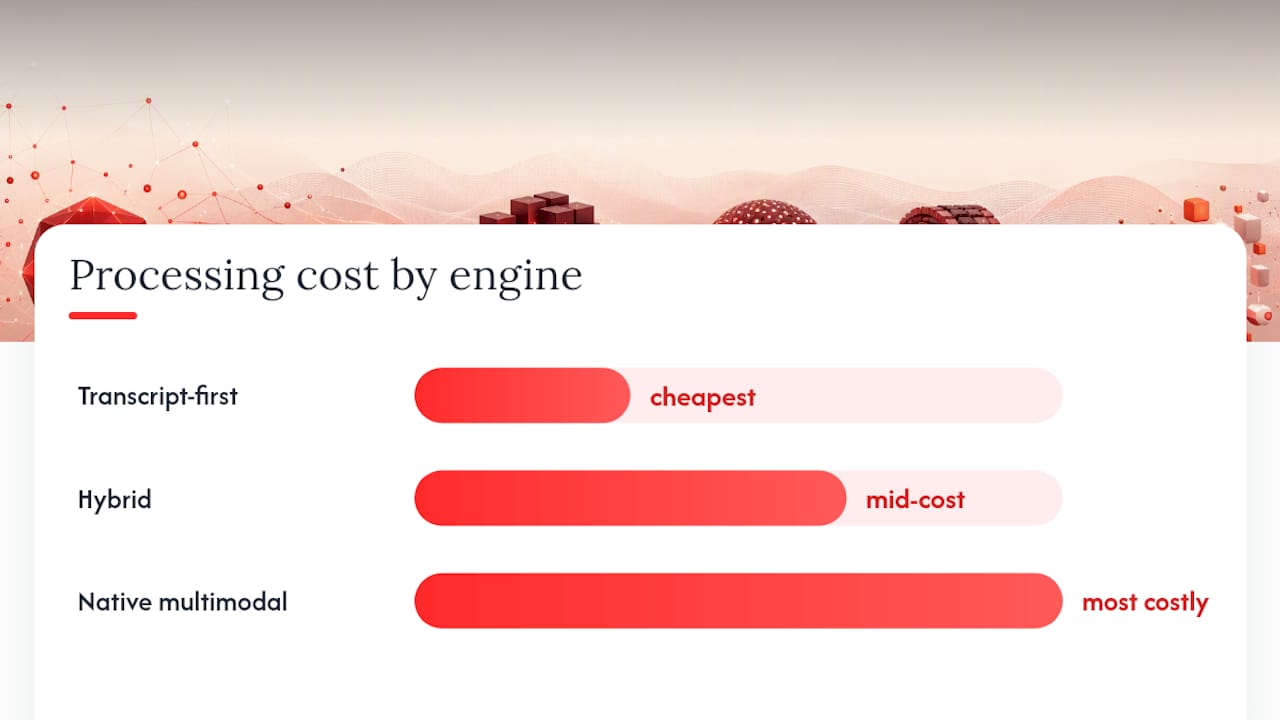
Most production summarizers default to a transcript-first pipeline, and for good reason. It’s dramatically cheaper to process text than video frames, and it works well for anything that’s primarily spoken word: podcasts, lectures, interviews, commentary. According to the engineering breakdown from Forasoft, hybrid or fully multimodal approaches only become necessary when visual information carries essential meaning, like a cooking demonstration, a whiteboard proof, or a product teardown where on-screen text matters.
The three engine designs, in practice:
- Transcript-first: cheapest, fastest, ideal for talking-head content and lectures.
- Hybrid: samples video frames selectively, used when some visual context matters but most of the value is spoken.
- Native multimodal: processes video and audio together, necessary when the visual track carries the real information.
Cost scales with complexity. Transcript-first is the cheapest option, hybrid and multimodal cost progressively more, and the same guide notes that visual-first content simply demands the pricier approach to stay faithful. For chunking, tools generally choose between map-reduce (summarize pieces independently, then merge), refine (iteratively build on a running summary), or stuffing (feed everything at once, which works only for shorter videos). Long-form content almost always needs map-reduce or refine to avoid losing early details.
Which Summary Format Actually Fits Your Situation?
Not every job calls for the same output. A researcher citing a panel discussion needs something different from a student trying to review three hours of lecture before an exam.
- Busy viewers deciding whether a video is worth their time want a short executive paragraph plus a handful of timestamped highlights, nothing more.
- Students reviewing lecture content benefit from structured study notes: sectioned by topic, with timestamps for rewatching a specific proof or example.
- Researchers citing specific claims need Q&A-style extraction or verbatim quote pulls, so they can trace a statement back to the exact second it was said.
- Professionals scanning industry talks or earnings calls usually want a chaptered breakdown they can skim in two minutes and jump into only for the parts that matter.
Modern summarization tools increasingly let you expand a specific section rather than forcing one fixed format, which matters more than it sounds. A summary that only gives you a single paragraph is useless to a researcher who needs quotes, and a Q&A breakdown is overkill for someone just deciding whether to click play.
One caution worth flagging early: if a video is fundamentally visual, a whiteboard math derivation, a surgical technique, a dance tutorial, a transcript-only summary will miss the point entirely. That’s your signal to just watch it.
How Do You Build an Accurate Chapter Summary Step by Step?
Here’s the exact sequence that produces a summary you can actually trust, whether you’re running it manually or letting a tool automate it.
-
Get a reliable transcript. Use YouTube’s native captions when they’re clean and accurate. When they’re not, auto-generated or missing entirely, transcribe the audio with a quality ASR engine like Whisper, AssemblyAI, or Deepgram. Caption quality is the single biggest failure point in the entire process, since a VOCAP breakdown of the workflow points out that transcript-first methods fall apart fast when the source text is noisy.
-
Clean and segment. Strip filler words, fix obvious transcription errors, and break the text into chunks of roughly 20 to 30 minutes for longer videos. If your transcription tool supports word-level timestamps (WhisperX is a common choice here), preserve them. You’ll need that precision later.
-
Summarize each chunk with a consistent prompt. Ask for a short paragraph, four to six key points, and the relevant timestamp range for each. Consistency across chunks matters more than cleverness. A messy prompt that changes structure every time produces a summary that’s hard to stitch together.
-
Combine and re-chapter. Feed the partial summaries back in and ask for a single “chaptered” final version with short headings and timestamps carried through. This is where map-reduce chunking pays off, since it preserves early detail that a single-pass summary of a two-hour video would likely drop.
-
Run a QA pass. Spot-check for hallucinated claims, missing sections, and timestamp drift.
Pro Tip: Treat every AI summary as a first draft, not a final answer. If a claim in the summary sounds too clean or too specific, jump to that exact timestamp and confirm the speaker actually said it before you quote or cite it anywhere.
How Do You Know If a Summary Is Trustworthy?
Judge any chapter summary on five axes: faithfulness (does it say what the speaker actually said), coverage (does it miss whole sections), timestamp precision (does the timestamp land near the actual moment), clarity (can you act on it without rewatching), and hallucination rate (how often it invents detail that isn’t there).
The fastest trust check takes under a minute. Click one of the timestamps, open the video at that point, and compare what you hear against what the summary claims. Ask the tool directly for a quoted excerpt tied to a specific point; if it can produce the exact words, faithfulness is solid. If it paraphrases vaguely or can’t locate the quote, treat the rest of the summary with suspicion.
- Check one timestamp against the actual video before trusting the rest.
- Ask for a verbatim quote tied to a specific claim.
- If sections feel thin or missing, that’s a coverage gap, not a formatting choice.
When a summary fails these checks, don’t just discard it. Re-transcribe with a higher-quality ASR engine, increase the overlap between chunks so context doesn’t get cut mid-thought, or explicitly request verbatim excerpts instead of paraphrased points.
Try Baitless: Chapter Summaries Without the Two-Hour Commitment
Baitless is built around a transcript-first engine that turns a YouTube video into a timestamped chapter breakdown, with guidance on what to watch and what to skip. Instead of manually chunking transcripts and rewriting prompts, you get the finished output in one pass, right inside your browser.

The free plan includes a limited number of summary credits, enough for casual use, such as previewing several long interviews or testing the tool on lecture videos. For users running summaries daily, whether researchers or professionals scanning industry content for relevant moments, a subscription tier removes that ceiling at a monthly cost.
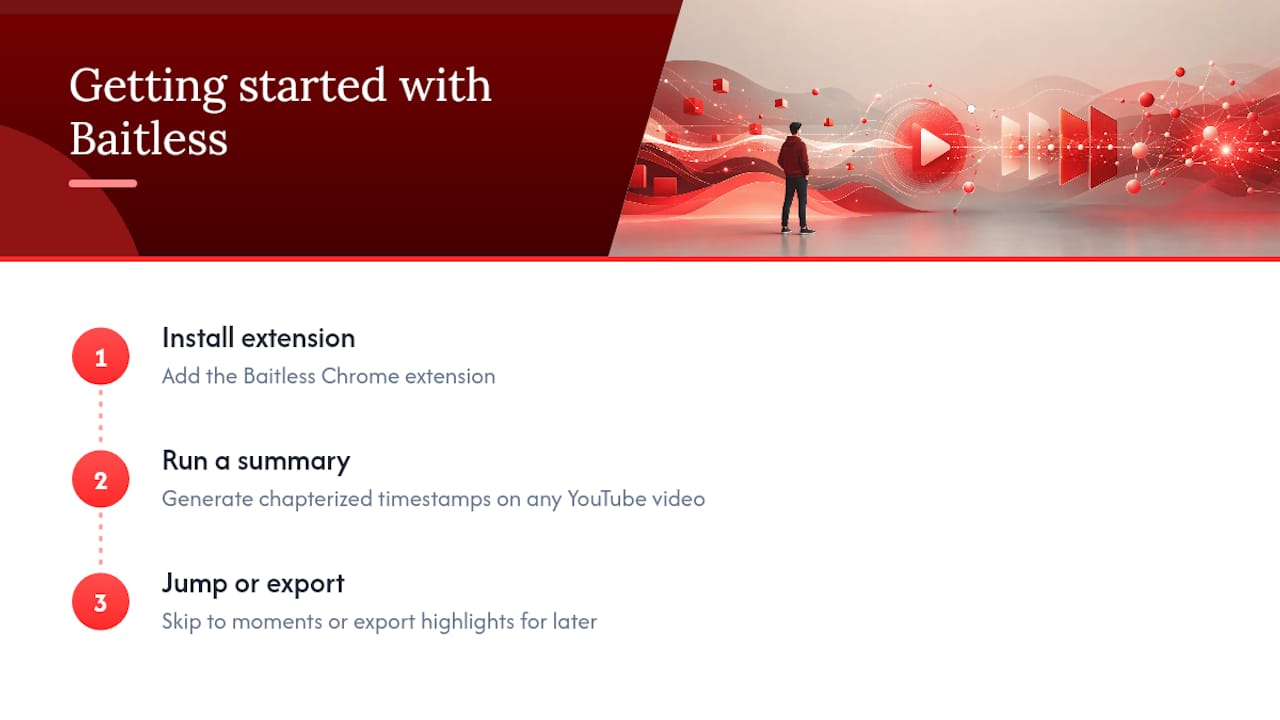
Getting started takes three steps: install the Baitless Chrome extension, run a summary on any YouTube video you’re deciding whether to watch, then use the generated timestamps to jump straight to the moments that matter or export the highlights for later. For deeper reading on how these workflows compare across tools, the best AI YouTube summarizer roundups on the Baitless blog cover more ground.
What I’ve Learned From Relying on These Summaries
Chapter summaries earn their keep on volume, not on any single video. The real value shows up when you’re trying to get through a week’s worth of long-form content in an afternoon: three podcast episodes, a two-hour panel, a handful of lecture recordings. A good summary lets you triage fast, watch the fifteen minutes that matter, and skip the rest without guilt.
Where they fall short is anything visual or emotionally nuanced. I’ve seen a summary flatten a tense negotiation into “the two parties discussed terms,” missing the tone that was the entire point of watching. Tools like Baitless close most of that gap for spoken content but won’t replace your eyes for a demonstration or a debate where delivery matters as much as words.
— Sergio
Sources
- AI Video Summarizer + YouTube Summarizer Tools: The 2026 Engineering Guide | Forasoft
- Summarize a YouTube Video with AI (2026): Step-by-Step | VOCAP
- What Is AI Summarization? Benefits and Uses | Slack
FAQ
What Are YouTube Chapter Summaries?
They’re AI-generated, timestamped breakdowns of a video’s content that highlight key moments and tell you what’s worth watching, skipping, or saving.
Are AI Chapter Summaries Accurate?
Accuracy depends heavily on transcript quality; clean captions or a strong ASR engine produce faithful summaries, while noisy audio or missing captions raise the hallucination risk.
Can a Summary Replace Watching the Video Entirely?
For talking-head content like lectures or interviews, often yes. For visual-first content like tutorials or demonstrations, no, you should watch the relevant timestamped section instead.
How Do I Check if a Summary Is Trustworthy?
Click one of the provided timestamps and compare it against the actual video, or ask the tool for a verbatim quote tied to a specific claim.
Does Baitless Work on Any YouTube Video?
Baitless generates timestamped chapter summaries for YouTube videos through its Chrome extension, with a limited number of free summary credits included before a subscription is needed for daily use.