
Skip the Video, Watch YouTube Faster with AI Decision Summaries
Skip the Video, Watch YouTube Faster with AI Decision Summaries

The fastest reliable way to watch YouTube faster is to skip the video entirely and read an AI-generated summary built from its transcript. This tells you in seconds whether something deserves your full attention, a quick skim, or a pass. It only works well when the summary comes from an accurate transcript, which is why tools like Baitless build the whole process around that step, free for a limited number of summaries.
TL;DR:
- Summaries from accurate captions are the most reliable, while auto-generated captions can introduce errors in names, jargon, and numbers.
- Timestamps are crucial for verification, allowing you to jump directly to the relevant sections in the video.
- Long videos should be segmented into chapters or parts, then summarized separately to preserve context.
- Using specific prompts that specify the audience, purpose, and format significantly improves summary usefulness and trustworthiness.
- Summarization tools cannot interpret visuals, charts, or body language, so videos relying heavily on visual content require manual review.
Table of Contents
- How AI summaries actually turn a video into a decision
- Three quick workflows for getting a decision-ready summary
- What to type to get a summary worth trusting
- How do you know if a summary is actually accurate?
- Why triage beats speed when you’re drowning in video
- Try a faster way to decide what’s worth your time
- Sources
How AI summaries actually turn a video into a decision
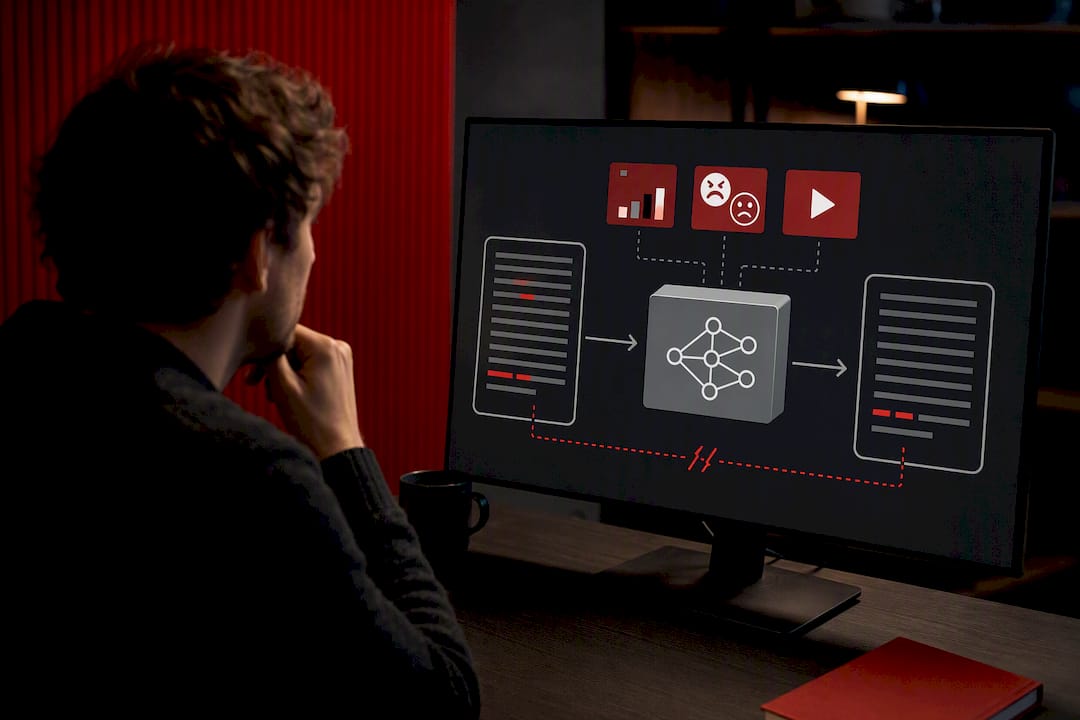
Every AI YouTube summarizer, regardless of the interface wrapped around it, runs the same three-step pipeline. First, it extracts a transcript, either pulled from YouTube’s own captions or generated fresh through speech-to-text. Second, that transcript gets fed into a large language model, which reads the text and identifies the structure, arguments, and key claims. Third, the model formats the output into something scannable: an overview, bullet points, or timestamped sections tied to moments in the video.
Transcripts come from three main sources: manually written YouTube captions (rare and usually the most accurate), YouTube’s auto-generated captions (common, decent but error-prone on technical terms and accents), or dedicated speech-to-text tools when captions don’t exist or are unreliable. The three-step pipeline of extraction, summarization, and formatting is the backbone of nearly every summarization tool on the market, whether it’s a Chrome extension or a standalone app.
Timestamps matter more than most people realize. A summary without them tells you what happened in a video; a summary with them tells you exactly where to click if you want to confirm it yourself. That distinction turns a static text block into a navigation tool.
- Transcripts sourced from clean captions produce the most reliable summaries.
- Auto-generated captions introduce errors on names, jargon, and numbers.
- Timestamped output lets you verify or rewatch a short clip instead of the whole video.
- Very long videos can exceed a model’s context window, forcing a segment-by-segment approach.
Pro Tip: If a summary reads suspiciously smooth with no hedging anywhere, that’s often a sign the transcript had gaps the model quietly filled in. A good summarizer flags uncertainty instead of papering over it.
The real limitation nobody advertises upfront: language models work from text, not video. They can’t see a chart, read body language, or catch a facial expression that contradicts the words being spoken. ChatGPT and similar models can summarize a video only as well as its transcript allows, which means visual-only information gets missed entirely, and caption errors ripple straight into the summary.
Three quick workflows for getting a decision-ready summary
Different videos call for different approaches. Here’s what actually works for each situation you’ll run into.
- Captioned video (a short video). Open the YouTube transcript panel, copy the text, and paste it into an AI chat tool, or use a URL-reading extension like Baitless that pulls the transcript for you. Ask for a brief verdict, key points, and timestamps for each main claim. This is the fastest path and works for the vast majority of videos with usable captions.
- No captions available (a medium-length video). Extract the audio or record it, then run it through a speech-to-text engine. Transcribing with a tool like Whisper before summarizing produces far more reliable results than relying on missing or garbled captions. Paste the resulting transcript into your AI tool and request the same decision-focused format: verdict, bullets, timestamps.
- Long videos or playlists (a longer video or playlist). Split the content by chapter markers or fixed 10 to 15 minute segments, summarize each chunk separately, then ask the AI to synthesize those segment summaries into one executive overview. This keeps context from getting lost and gives you an even read across the full runtime, not just the first third.
Some tools now handle transcription and summarization in a single integrated workflow rather than requiring a manual copy-paste step. Combining transcription and summarization into one workflow saves time but trades a bit of accuracy depending on transcript quality, so it’s worth spot-checking the output on anything with technical vocabulary or accented speech.
Pro Tip: For playlists, don’t summarize each video from scratch. Ask the AI to compare summaries across videos and flag which ones cover overlapping ground, so you skip the redundant ones outright.
Stick to a consistent output format across all three workflows: overview first, bullets second, timestamps third. That structure is what actually lets you scan and decide instead of reading a wall of text.
What to type to get a summary worth trusting
The prompt you write shapes the summary you get. Vague requests like “summarize this” produce vague, generic output. Specific prompts that name an audience, a purpose, and a format produce something you can actually act on.
For quick triage, try: “Give me a brief verdict on worthiness to watch, followed by key claims with timestamps. My audience is a busy professional deciding whether to watch the full video.”
For study notes, ask for: an overview paragraph, a list of key terms with plain-language definitions, two or three worked examples pulled from the video, five quiz questions, and timestamps marking where each concept appears.
For meeting recordings or tutorials, request: a list of action items, a step-by-step checklist in the order tasks were completed, who’s responsible for each item if named, and timestamps for every step.
One line makes every prompt more trustworthy: ask the AI to mark any statements it’s unsure of. Framing a prompt with a clear audience, purpose, format, and an uncertainty check consistently produces more useful output than an open-ended request, and that single instruction cuts down on confidently wrong summaries more than almost anything else you can add.
- Keep the verdict to three sentences maximum. Anything longer defeats the purpose of triage.
- Ask for timestamps on every bullet, not just the summary as a whole.
- Request “mark uncertain claims” on anything involving statistics, quotes, or technical specifics.
- Set a hard length limit (“a concise length limit”) if the model tends to ramble.
How do you know if a summary is actually accurate?
Three checks take under two minutes and catch most errors before they cost you anything. First, locate the specific claim inside the transcript itself and confirm the timestamp lines up. Second, watch just that a short clip rather than the full video. Third, cross-check any quoted figures, names, or statistics against the transcript text directly, since these are exactly the details auto-captions tend to mangle.
Some content simply doesn’t compress into text. Skip the summary and watch the original when a video involves:
- Visual demonstrations, like a product teardown or a cooking technique.
- Step-by-step coding, where the exact syntax on screen matters.
- Nuanced debates, where tone and body language change the meaning.
- Charts, diagrams, or data visualizations referenced but not read aloud.
A recurring finding across summarization guides is that models can only summarize what’s in the transcript, not what’s on screen, so anything visual-first stays a poor candidate for a text summary no matter how good the tool is. Keep the original video link and the timestamps handy. If a decision hinges on a summary, a 60 second recheck against the source is cheap insurance.
Why triage beats speed when you’re drowning in video
Most people trying to watch YouTube faster fixate on the wrong lever entirely. Compressing hours of content into minutes doesn’t come from watching faster. It comes from deciding faster what’s worth watching at all.
I’ve used this approach to screen five candidate videos on a research topic in the time it would’ve taken to watch one of them in full, and it consistently saves close to two hours on a deep research afternoon. Three of the five got skipped outright once the summary showed they repeated the same three points as everything else I’d already found. One got bookmarked for a full watch because it covered a step-by-step process that clearly needed the visuals. That’s the real value: not speed for its own sake, but knowing which videos deserve your actual time. If you want to go further into structuring what you learn afterward, the Baitless blog’s study-notes-from-youtube and learning-from-youtube tags cover the workflows that come after the triage step. Try it on the next video sitting in your watch-later list and time yourself. The gap is bigger than you’d expect.
— Sergio
Try a faster way to decide what’s worth your time
Baitless is built around exactly the workflow this article walks through. It’s a Chrome extension that pulls the transcript straight from the YouTube URL, no copy-pasting required, and returns a timestamped summary you can scan in under a minute. You get an overview, the key bullets, and jump-to timestamps for every claim, formatted the same way whether you’re triaging a single video or working through a playlist.

New users get a limited number of free summary credits with no card required, enough to test the workflow across a real week of videos before deciding if you need more. Heavier users, researchers, students buried in lecture recordings, professionals monitoring a niche, can move to a subscription for ongoing volume. If you’ve got a video sitting in your watch-later list right now, that’s the one to test it on. Start your first summary on Baitless and see how much of it was actually worth watching.
Sources
For deeper reading on the mechanics behind this workflow: how AI YouTube summarization actually works under the hood, a step-by-step guide to summarizing video with AI, and a breakdown of what ChatGPT can and can’t do with video content. For structuring what you take from a summary afterward, browse Baitless’s youtube-productivity-tips tag.