
10–15 Minute Chunking: Summarize YouTube for Research with Timestamps
10–15 Minute Chunking: Summarize YouTube for Research with Timestamps

Use a transcript-first, timestamped summary to triage YouTube videos for research, then verify the original before you cite anything. Treat the summary as scaffolding, not a source. Pull the transcript, ask for timestamped bullets and direct quotes, and confirm the claims that matter against the video itself before they land in your notes or your paper.
TL;DR:
- Summarize long videos in chunks using chapter markers or fixed time windows with overlaps to ensure critical claims are not missed at boundaries.
- Verify key claims by cross-checking timestamps, quotes, numbers, and visual evidence directly against the original video, especially for health or technical topics.
- Use structured prompts specifying research questions, key definitions, and claims-to-verify to generate useful, timestamped summaries for research triage.
- Confirm creator credentials, linked sources, and supporting evidence outside the video to gauge credibility and avoid relying on unverified claims.
- Employ tools like Baitless for quick timestamped summaries that aid in efficiently deciding which videos merit detailed review or citation.
Table of Contents
- How Do You Summarize YouTube for Research Properly?
- How Do You Handle a Long Video Without Missing Key Sections?
- What Should a Verification Checklist for YouTube Research Include?
- What’s a Quick Way to Judge a YouTube Creator’s Credibility?
- What Tools and Prompts Work Best for Research Summaries?
- What Are the Copyright and Ethics Rules for Summarizing YouTube Videos?
- What Researchers Get Wrong About Video Summaries
- Try Baitless: Fast Summaries With Timestamped Outputs
- Sources
- FAQ
How Do You Summarize YouTube for Research Properly?
A reliable workflow to summarize YouTube for research runs in three stages: extract a clean transcript with timestamps, generate a structured summary from that transcript, then verify anything you plan to quote or build an argument on. Skipping the transcript step is the single most common failure. Tools that summarize the video’s audio track directly, without a timestamp anchor, produce prose you can’t trace back to a specific moment, which makes fact-checking almost impossible later.
Here’s the sequence that keeps provenance intact from start to finish:
- Export the transcript. Most videos have auto-generated captions you can pull directly; for lectures or interviews with poor audio, a local transcription pass through something like Whisper gives cleaner text.
- Request a structured summary, not a loose paragraph. Ask explicitly for a TL;DR, section-by-section bullets (each tagged with a timestamp), three to five direct quotes with their timestamps, and a separate “claims to verify” list.
- Log the metadata before you move on: video title, creator, URL, the date you accessed it, whether captions were auto-generated or manual, and the timestamp range each summary section covers.
That schema matters because pedagogically grounded summarization research finds that summaries preserving definitions, assumptions, examples, and limitations support learning far better than summaries that just compress sentences. A flat recap tells you what was said. A structured one tells you what to trust, what to question, and what to look up.
Decide early when a summary is enough. For a preview scan across ten candidate videos on a topic, a good summary tells you which ones deserve a full watch. For anything you’ll quote, interpret, or try to reproduce, the summary is a map, not the destination.
Pro Tip: Save your “claims to verify” list as a running document across a whole literature review, not per video. Patterns emerge fast when you see which speakers keep citing the same shaky number.
How Do You Handle a Long Video Without Missing Key Sections?
Long videos break summarization tools in a predictable way: they weight the opening minutes heavily and thin out toward the end. The fix is chunking.
- Split by chapters if the video has them. YouTube’s chapter markers are usually a reasonable proxy for topic shifts.
- If there are no chapters, use fixed 10 to 15 minute windows with a 30 to 60 second overlap between chunks so you don’t lose a claim that straddles a boundary.
- Summarize each chunk separately, labeling it with its start and stop timestamps.
- Merge the chunk summaries into one master document. Deduplicate repeated points, but when two chunks describe the same claim differently, keep the version with the stronger supporting detail, not just the first one.
This mirrors how automated claim-extraction systems handle noisy transcripts at scale. One pipeline built for exactly this problem, extracting atomic factual claims from long YouTube transcripts, reports an extraction F1 score of 0.94 using a phased approach: clean the transcript, extract candidate claims, classify them, then verify. Manual chunking on a 90-minute lecture follows the same logic, just at a smaller, human scale.
Pro Tip: When prompting an AI tool for chunk summaries, specify the timestamp range in the prompt itself (“Summarize only 14:00 to 28:00”) rather than trusting the model to self-select a range. It drifts otherwise.
What Should a Verification Checklist for YouTube Research Include?
A summary becomes research-grade only after you run five checks against the source video: names, numbers, dates, quoted phrases, and any external reference the speaker mentions. Get any one of these wrong in a paper or a literature note and the error compounds every time you cite it again later.
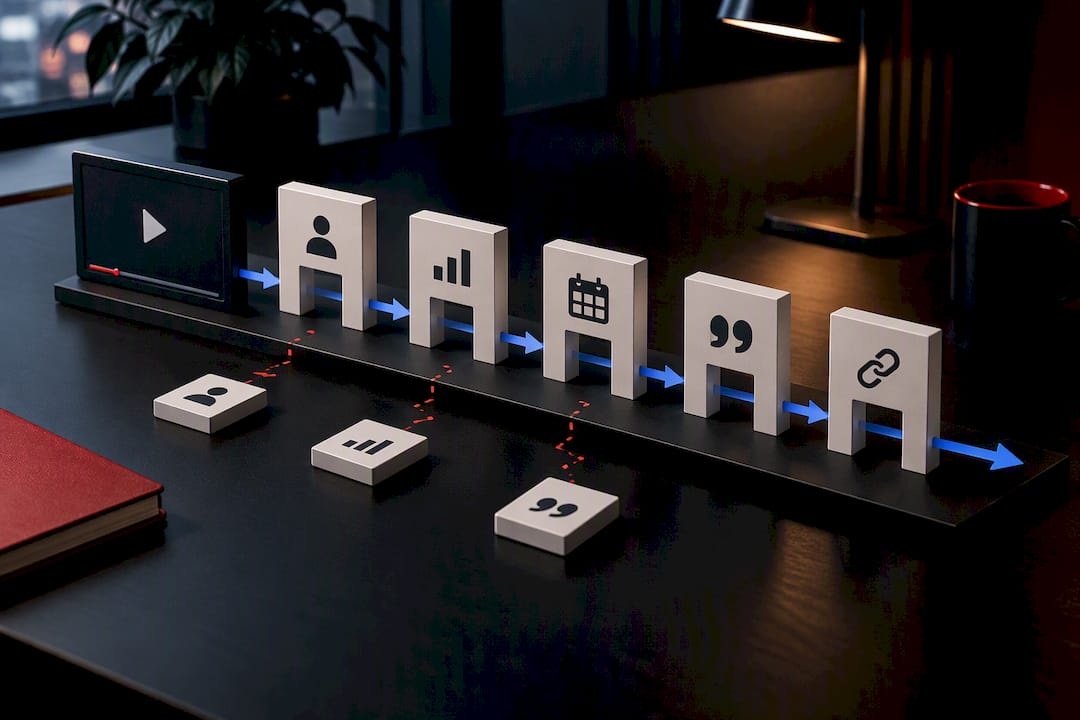
The verification pass should also catch what the transcript physically cannot. Audio-only extraction misses slides, on-screen charts, and live demonstrations entirely, and research on multimodal summarization identifies this gap as the most common practical failure in automated video summarization. If a claim depends on a chart the speaker points to but doesn’t fully narrate, your transcript-based summary will have a hole exactly where the evidence lives.
Build your notes with this metadata pattern at the bullet level:
- Timestamp for the claim
- Claim type: assertion, direct quote, worked example, or interpretation
- Verification status: confirmed, pending, or flagged
- A screenshot with its own timestamp and a one-line caption, for anything visual the transcript would miss
A controlled study with roughly 100 students found that the group given both the lecture video and an automatically generated summary outperformed both the video-only and summary-only groups on post-quiz performance. The summary alone wasn’t enough. Neither was the raw video without structure. It’s the pairing, summary for orientation, video for confirmation, that does the work.
Never treat a summary as a substitute for watching the exact segment you intend to quote. Five minutes of playback costs far less than a retraction.
What’s a Quick Way to Judge a YouTube Creator’s Credibility?
Run a lateral check before you trust the content, not after. Open a second tab, search the creator’s name and credentials, and see whether the studies or figures they cite actually say what they claim.
A few checks take less than five minutes and catch most problems:
- Does the creator state credentials relevant to the topic, and can you verify them outside the video’s own description?
- Are sources linked in the description, or is everything asserted without a trail?
- When a study or statistic gets mentioned, can you find that study and does it support the claim as stated?
- Does the speaker have a financial or promotional interest in the conclusion?
- Do other independent sources corroborate the central claim?
Production quality and view count tell you almost nothing about accuracy. A well-lit studio and a million views can sit on top of a claim that falls apart under thirty seconds of lateral reading. Timeline-linked citations change this dynamic when they’re available: a University of Washington study on a Wikipedia-style citation prototype found that adding source links tied to specific timestamps shifted how viewers judged a video’s credibility, and pushed more of them toward checking the original sources themselves.
Health and technical claims deserve the strictest scrutiny of all. Research on health professions students found they consistently overrated the quality of lower-quality medical videos compared with how expert reviewers scored the same content. If the topic touches health, safety, or anything with real consequences, treat the video as an anecdote to investigate, not evidence to cite, until independent verification backs it up.
Pro Tip: Bookmark the creator’s cited studies as you go, even the ones that check out. A running list of “sources this creator actually uses” becomes a fast credibility signal for their next video.
What Tools and Prompts Work Best for Research Summaries?
Platform captions work fine for most lecture and interview content. For anything with heavy accents, overlapping speakers, or technical jargon, running the audio through a local transcription tool gives you a cleaner base transcript to summarize from.
A prompt that just says “summarize this” produces a vague paragraph. A prompt that specifies the schema produces something you can actually use:
- State the research question you’re trying to answer with this video.
- Ask for a thesis statement, section-level bullets with timestamps, key definitions, supporting evidence, counterarguments if the speaker addresses any, stated limitations, and a claims-to-verify list.
- Require every bullet to carry its own timestamp, not just a general “early in the video” reference.
That level of structure is exactly what pedagogically grounded summarization guidance recommends for educational content, because it preserves the conceptual relationships between ideas instead of flattening them into disconnected sentences. Baitless builds toward this same structure inside a Chrome extension, generating timestamped summaries directly in the browser so you can triage a video in seconds rather than opening a separate app. For worked examples and prompt variations, the AI summary tag on the Baitless blog has hands-on breakdowns.
What Are the Copyright and Ethics Rules for Summarizing YouTube Videos?
Summarizing a video for your own research notes is generally low-risk. Publishing large verbatim chunks of someone else’s transcript, especially without attribution, is a different matter entirely, and the line between the two is where most researchers get careless.
A few practices keep you on the right side of both ethics and copyright norms. Paraphrase the substance of what a creator said rather than reproducing long transcript passages, and reserve direct quotes for short, clearly attributed phrases tied to a timestamp. Always credit the creator by name and link the original video, both because it’s the honest thing to do and because it lets anyone checking your work verify the source themselves.
Fair use protections for commentary, criticism, and research vary by jurisdiction, so don’t assume a blanket right to reproduce transcript text just because your purpose is academic. When a video itself draws on copyrighted material, a textbook diagram shown on screen, a licensed music clip, a clip from another creator, note that in your citation rather than treating the YouTube video as the original source. And if a creator explicitly restricts reuse of their content in the video description, that restriction applies to your summary notes too, not just to re-uploading the footage. When in doubt on a specific use case, a quick read of your institution’s fair use guidance beats guessing.
What Researchers Get Wrong About Video Summaries
Most researchers treat a summary as either useless or infallible, and both instincts are wrong. The honest position sits in between: a summary is a fast, mostly reliable map that occasionally gets a name or a number wrong, and your job is to know which claims are load-bearing enough to double-check.
One recent literature review took maybe six minutes to triage against a full afternoon of video, because a batch of transcript summaries let me eliminate four videos that circled the same three points without adding anything new. But on the fifth video, a specific statistic in the summary didn’t match the tone of everything else in the transcript. I watched that eleven-minute segment directly. The number was right, but the context around it changed what it actually implied. That’s the trade-off: summaries save hours across a stack of videos, and watching selectively saves you from citing something technically true but practically misleading.
The habit worth building for a weekly review cycle is simple: summarize everything, watch nothing unless a claim is going into your notes verbatim.
— Sergio
Try Baitless: Fast Summaries With Timestamped Outputs
Baitless is built for exactly the triage step this workflow depends on, generating a timestamped summary the moment you land on a video, so you know in seconds whether it’s worth a full watch, worth skipping, or worth saving for later. Install the Chrome extension, run a summary on any video you’re evaluating for a research project, and you’ll see a breakdown of what to focus on against what you can safely skip.

The workflow stays the same either way: run the summary, save the video title, URL, access date, and timestamp ranges to your notes, then verify anything you plan to cite. Every account starts with 25 free summary credits, no card required, which covers a solid first pass through a stack of literature review candidates. Once you’re running summaries daily, the Pro subscription at $7.99 per month adds the credit volume that a real research schedule needs. Check the plan details on the Baitless pricing page and see which tier fits your weekly volume.
Sources
- Automatically Generated Summaries of Video Lectures May Enhance Students’ Learning Experience
- Can Wikipedia-like citations on YouTube curb misinformation? | UW News
- A Pipeline for Automated Analysis of Factual Claims in YouTube Transcripts
- Information literacy skills of health professions students in assessing YouTube medical education content
- Pedagogically grounded summarization for educational video content
FAQ
Is It Safe to Cite an AI Summary Directly in a Paper?
No. Treat an AI-generated summary as a navigation tool, not a citable source, and always verify any specific claim, quote, or statistic against the original video before it goes into a paper. A controlled student study found the biggest learning gains came from pairing the summary with the video, not from the summary alone.
How Do I Keep Timestamps When Summarizing a Long Lecture?
Chunk the video into 10 to 15 minute segments with a short overlap, summarize each chunk separately with its timestamp range labeled, then merge the results into one master summary. This prevents the common problem of a summary weighting the first few minutes and thinning out toward the end.
What’s the Fastest Way to Check if a YouTube Creator Is Credible?
Run a lateral search on the creator’s name and credentials, check whether sources are linked in the description, and confirm that any cited study actually supports the claim being made. Production quality and view counts are weak signals on their own, so corroboration from an independent source matters more than polish.
Does Baitless Work for Academic or Research Use?
Baitless generates timestamped summaries through a Chrome extension, which fits directly into a transcript-first research workflow for triaging videos before a deeper watch. The free tier includes 25 summary credits, and the Pro plan runs $7.99 per month for higher-volume use.
Should I Watch the Whole Video Even After Reading a Summary?
Only for the sections tied to claims you plan to quote, interpret, or rely on for your own conclusions. For general orientation or deciding whether a video is worth your time at all, a well-structured timestamped summary is usually enough.