
How to Summarize Product Reviews on YouTube in Minutes
How to Summarize Product Reviews on YouTube in Minutes

The fastest reliable way to summarize product reviews on YouTube is to paste the video URL into a dedicated summarizer or open a browser extension like Baitless and click summarize. Either route gets you a verdict, pros, cons, and key specs in under a minute for most single videos. The catch: always verify any critical number or quote against the timestamp before you trust it, since even good summaries miss visual demos and can flatten nuance.
- Action 1: Copy the YouTube URL and drop it into a summarizer tool, or click your installed extension.
- Action 2: Scan the verdict and pros/cons list, then jump to one timestamp to confirm a claimed spec is accurate.
Dedicated summarizers typically deliver a structured output in about one minute for a single video, which is fast enough to triage a dozen reviews before lunch.
Key Takeaways
The fastest reliable way to summarize a YouTube product review is pasting the URL into a dedicated tool or extension, then verifying one key claim against its timestamp.
| Point | Details |
|---|---|
| Speed ranking | URL-paste summarizers deliver results in about a minute; DIY transcript work takes four to six minutes or more. |
| Verify before trusting | Cross-check quoted specs and model numbers against the timestamped clip, since captions can misread technical terms. |
| Watch for red flags | Skip summaries missing timestamps, vague verdicts, or no specs in a spec-focused review. |
| Match method to video length | Use chapter markers for long videos and skip full summarization for shorts under three minutes. |
| Baitless for this job | The Chrome extension offers 25 free summary credits and highlights what to watch versus skip directly inside YouTube. |
Table of Contents
- How Do You Summarize Product Reviews Quickly and Accurately?
- What Should a Good Product Review Summary Include?
- Where Do Summaries Break Down, and How Do You Compensate?
- Why Baitless Fits This Exact Job
- Can You Trust the Reviewer Behind the Summary?
- Handling Short Clips, Long Reviews, and Multi-Part Series
- Building a Simple System for Storing Your Summaries
- What Actually Matters When You’re Deciding What to Watch
- Try Baitless and See Your First Summary in Under a Minute
- Sources
How Do You Summarize Product Reviews Quickly and Accurately?
Not every workflow fits every situation. If you’re comparing five camera reviews before a purchase, you want speed. If you’re fact-checking a claim about battery life for a work report, you want precision. Here’s how the main methods stack up, ranked by how most viewers should actually use them.
-
Paste the URL into a dedicated summarizer. This is the quickest path for long videos or when you’re triaging several reviews back to back. Most tools return a verdict, timestamps, and a pros/cons breakdown in roughly a minute. It works on any device since there’s nothing to install, which matters if you’re stuck on a phone browser.
-
Use a browser extension. Extensions like Baitless sit inside your YouTube tab and generate a summary without you leaving the page. This is the smoothest option if you’re already browsing on desktop and want inline results without a separate app. The trade-off is that extensions generally don’t work on mobile browsers, so if you’re phone-first, a URL-paste tool is the better fit.
-
Pull the transcript and feed it to an LLM yourself. This DIY route takes longer, often four to six minutes once you grab the transcript and write a prompt, but it gives you full control over format. If you need a custom output, like a comparison table across three reviews, this is where you get it. Tools built for text summarization, such as Wordtune, can handle the transcript once you’ve extracted it.
-
Try YouTube’s native summary or Gemini integration where available. When it’s enabled, this is the fastest option of all because it’s built into the platform. The downside is limited control: you can’t export the summary, tweak the prompt, or customize what gets highlighted.
Pro Tip: Keep a summarizer bookmarked and an extension installed side by side. Use the extension for casual browsing and the paste-URL tool when you need to process a batch of videos quickly.
What Should a Good Product Review Summary Include?
A summary that actually helps you decide whether to watch, skip, or save needs specific ingredients. Missing any of these turns a summary into a guess dressed up as an answer.
- A clear verdict stating whether the reviewer recommends the product, recommends it with caveats, or advises against it.
- Three standout pros, not a vague “has good features” line.
- Three real cons, including anything the reviewer flagged as a dealbreaker.
- Standout specs the reviewer emphasized, like battery life, price, or build material.
- Timestamps or jump links tied to each major claim so you can verify it yourself.
That last point separates a useful summary from a lazy one. A practical best practice among summarization guides is to attach a timestamp to every major claim or spec, precisely so viewers can skip straight to the fifteen-second clip that proves (or disproves) it.
Before you trust a summary’s numbers, cross-check the quoted figures and model names against the transcript or the timestamped clip itself. Reviewers misspeak, auto-captions mangle model numbers, and summarization tools occasionally smooth over a hedge (“it’s decent, not great”) into a flat positive.
Watch for these red flags:
- No timestamps anywhere in the summary.
- A verdict so vague it could apply to any product (“this one has pros and cons”).
- Missing specs for a video that’s clearly spec-focused, like a laptop or camera review.
- No timestamps specifically for demo segments or side-by-side comparisons, which are the parts most likely to get flattened into text.
Where Do Summaries Break Down, and How Do You Compensate?
Every summarization method has a failure mode, and knowing which one applies to your situation saves you from bad decisions.
Auto-captions are the weak link in transcript-based summaries. Caption accuracy varies by audio quality, accent, and background noise, and errors compound when a summarizer builds its output entirely from captions. Model numbers, brand names, and technical specs are the most common casualties. If a summary quotes a specific number, like “12 hours of battery life,” treat it as a claim to verify, not a fact, until you’ve checked the timestamp.
Extensions trade some privacy and platform flexibility for convenience. They need permission to read page content, and they’re desktop-bound, which is fine for daily browsing but a dead end if you’re summarizing on your phone during a commute.
Dedicated summarizer platforms handle long videos and exports well, and most run on a subscription or credit model once you exceed a free tier. That’s a fair trade if you’re summarizing regularly, less so if you need one summary a month.
DIY transcript-plus-LLM work gives you the most control and the best fact-auditing potential, since you’re reading the raw transcript rather than trusting a pre-built summary. It’s also the slowest method and requires the most manual effort.
| Method | Speed | Best for | Main limitation |
|---|---|---|---|
| Dedicated summarizer | fast | Long videos, batch triage | Subscription cost at scale |
| Browser extension | fast | Desktop browsing | Desktop-only, permission access |
| DIY transcript + LLM | slower | Custom formats, fact-checking | Slow, manual effort |
| YouTube native | Fastest when available | Casual quick checks | No export, no customization |
Visual context is the blind spot every transcript-only method shares. A reviewer holding up two phones side by side, or scrolling through a settings menu on screen, communicates information a transcript can’t capture. Tools that combine frame recognition with transcript analysis catch more of that visual detail, which matters most for demo-heavy reviews like camera comparisons or unboxing videos.
Pro Tip: If a review leans heavily on visual demonstrations, like a screen recording or a side-by-side comparison, jump to the timestamped clip yourself rather than trusting the text summary alone.
Why Baitless Fits This Exact Job
Baitless was built around the specific problem this article is solving: turning a 20 minute product review into something you can act on in under a minute. The Chrome extension sits inside YouTube and breaks each video into what to watch and what to skip, so you’re not guessing which section has the actual verdict.
Here’s what that looks like in practice:
- Free tier to start: 25 summary credits with no payment required, enough to test it across a batch of reviews before deciding if you need more.
- Affordable upgrade path: a subscription tier for daily users who burn through free credits fast, priced well below what a subscription-based SaaS summarizer typically charges for the same volume.
- Inline, no-extra-app workflow: the extension reads the video where you’re already watching it, instead of forcing a copy-paste into a separate site.
To try it: install the extension or open the web app, paste a review’s URL or click summarize on the video page, then check one specific spec against its timestamp before you rely on it. That last step takes ten seconds and it’s the difference between a summary you trust and one you’re just hoping is right.
Can You Trust the Reviewer Behind the Summary?
A perfect summary of a biased review is still biased. Before you act on any synopsis, spend fifteen seconds sizing up the source.
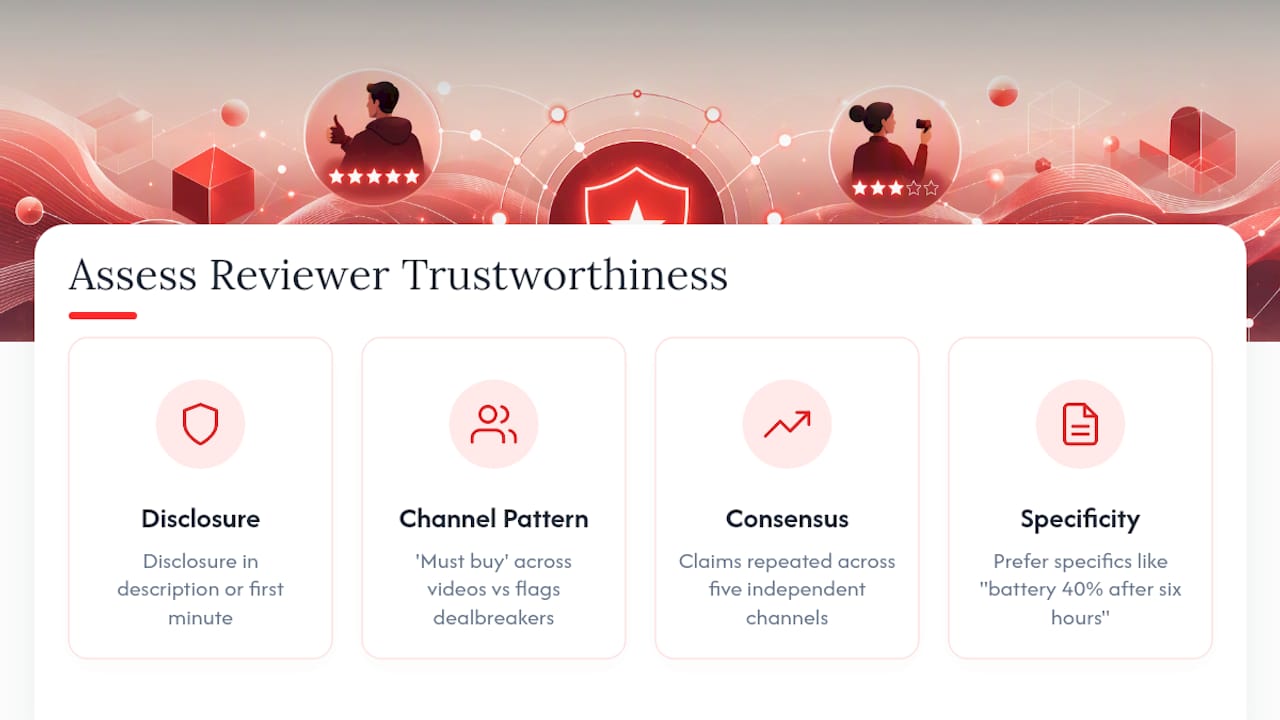
Check whether the channel discloses sponsorships or free units. Most legitimate reviewers state this in the description or verbally in the first minute, and a summary tool should surface that disclosure if it’s present. If a summary reads as uniformly glowing with zero cons listed, that’s often a sign the source itself was one-sided, not that the summarizer failed.
Compare the verdict against the channel’s typical pattern. A tech reviewer who rates nearly everything “must buy” carries less weight than one who regularly flags dealbreakers. If you’re new to a channel, a quick glance at a few other summaries from the same reviewer tells you whether they lean positive across the board or actually differentiate between good and mediocre products.
Cross-reference big claims across more than one review when the purchase matters. Programmatic tools that pull multiple reviews for the same product and extract consensus pros and cons help cancel out one reviewer’s blind spot or bias, since a claim that shows up across five independent channels carries more weight than one reviewer’s opinion. That kind of aggregation won’t replace judgment, but it catches the cases where a single glowing review turns out to be an outlier.
Watch for vague enthusiasm without specifics. “This is amazing” with no supporting detail is a weaker signal than “battery dropped to 40% after six hours of continuous use.” Summaries should preserve that specificity. If yours doesn’t, the summarizer flattened something worth checking in the original video.
Handling Short Clips, Long Reviews, and Multi-Part Series
A 90-second short and a 45-minute deep-dive need different summary approaches, and treating them the same wastes time either way.
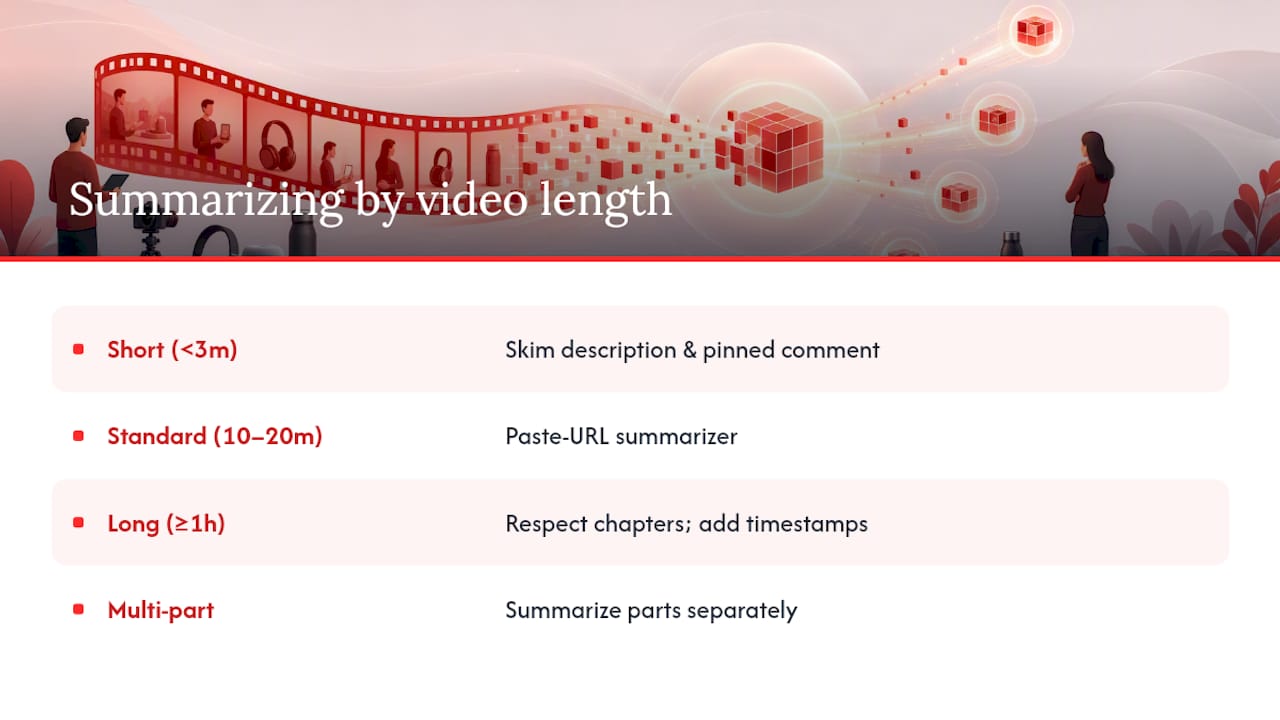
For short-form reviews under three minutes, a full summary tool is often overkill. Skim the description and the pinned comment first, since creators frequently list specs and verdict there to save viewers a watch. Save the summarizer for anything long enough that scanning isn’t practical.
For standard 10 to 20 minute reviews, the paste-URL workflow hits its sweet spot. This is the length range where a structured summary saves the most time relative to watching, and where dedicated summarizers are tuned to perform best.
For hour-plus deep-dives or livestream reviews, lean on chapter markers if the creator included them. A good summarizer should respect existing chapters and break its output along those same lines rather than imposing an arbitrary structure. If chapters are missing, a timestamp-heavy summary becomes even more critical, since you’re relying on it to navigate a much larger haystack.
For multi-part review series (a phone review followed by a three-month update video), summarize each part separately rather than trying to merge them into one output. Verdicts change over time as reviewers live with a product longer, and collapsing an initial impression with a follow-up erases that shift, which is often the most useful information in the series.
Building a Simple System for Storing Your Summaries
A summary you can’t find again is barely more useful than not summarizing at all. The goal isn’t a complicated database, it’s a habit you’ll actually keep.
Start with a single running document, whether that’s a notes app, a spreadsheet, or a plain text file, organized by product category rather than by date. When you’re comparing wireless earbuds three weeks from now, you want every earbud summary grouped together, not scattered across entries by when you happened to watch them.
For each entry, capture four things: the product name, the verdict, the one or two specs that mattered most to your decision, and the source video link with a timestamp for the key claim. That last piece lets you re-verify a fact months later without rewatching the whole video.
If you’re using a summarizer with built-in history, like an extension that logs past summaries, lean on that instead of manually copying everything over. Baitless keeps a record of past summaries inside the extension, so you’re not rebuilding your own archive from scratch for casual research.
Tag entries by decision status: watched, skipped, or saved for later. This turns your summary log into a lightweight tracking system, and it means six months from now you can filter straight to “saved for later” instead of scrolling through everything you’ve ever looked at.
What Actually Matters When You’re Deciding What to Watch
Most advice on this topic treats every summary tool as interchangeable, as if speed alone settles the question. It doesn’t. The real skill is matching the method to the stakes: a five-dollar phone case doesn’t need transcript verification, but a $1,200 laptop purchase justifies the extra two minutes of checking a timestamp.
The conventional wisdom oversells accuracy and undersells verification habits. No summarizer, no matter how good, replaces the ten-second check of jumping to a timestamp when a number matters. That habit, not the tool you pick, is what keeps you from making a bad purchase based on a misquoted spec.
What I’d prioritize first: build the verification reflex before you optimize for speed. Once checking a timestamp becomes automatic, the choice between an extension and a paste-URL tool stops mattering much, because you’ll catch the errors either way. Speed without that habit just means making wrong decisions faster.
— Sergio
Try Baitless and See Your First Summary in Under a Minute
Baitless gets you the verdict, the pros and cons, and the key timestamps from a product review without watching the whole thing, and you start with 25 free summary credits to see if it fits how you browse.

Getting started takes three steps. First, visit the Baitless landing page and install the Chrome extension or open the web app. Second, paste a YouTube review URL or click summarize directly from the video page. Third, read the breakdown of what to watch and what to skip, then jump to one timestamp to confirm a spec that matters to your decision.
Once your free credits run low, the subscription tier costs less than most dedicated summarizer subscriptions charge for similar volume, which makes it a reasonable next step for anyone summarizing reviews daily rather than occasionally. Check the FAQ and privacy details on the site before you install if you want to know exactly what permissions the extension uses.
Sources
- How to Summarize a YouTube Video: Every Method Tested (2026 Guide) | YT Summarizer Blog
- AI summarization — a guide to conquering information overload | Slack Blog
- # Youtube Product Review Summarizer (
mhamas/youtube-product-review-summarizer) Actor - YouTube Video Summarizer: 4 AI Methods to Summarize Any Video (2026) | ReelScribe
- Best YouTube Video Summary Prompts and Tools | Lynote