
Summarize Product Demos in 15 Minutes With Ready Templates for Teams
Summarize Product Demos in 15 Minutes With Ready Templates for Teams

A useful demo summary leads with the outcome, not the interface. It states what the buyer or team wanted, what the product showed, what decisions came out of it, and what happens next. The immediate move is simple: grab the recording or transcript right after the call and pull outcomes, objections, and commitments before memory fades. Everything else, the templates, the tools, the formatting, comes after that.
TL;DR:
- Summarizing demo outcomes within 24 hours improves follow-up speed, internal alignment, and tailoring to buyer needs by capturing specific objections and commitments.
- Different outputs are needed depending on audience, such as sales briefs, bug logs, or executive summaries, each requiring a clear structure including outcome, objections, and next steps.
- Using transcription tools, structured templates, and automation reduces manual effort, but human review remains essential for accuracy and context, especially for multi-participant calls.
- Maintaining discipline through templates and assigning a dedicated owner ensures timely, relevant, and reusable summaries that support ongoing deal visibility.
- Applying demo summarization to long videos or recordings saves time and creates searchable archives, leading to better future reference and more effective sales and product teams.
Table of Contents
- What Are Product Demos and What Formats Do They Take?
- Why Summarizing Product Demos Actually Moves the Needle
- What Should You Produce After a Demo?
- How Do You Summarize a Demo Step by Step?
- Ready-to-Use Templates for Common Demo Recaps
- Which Tools Actually Help You Automate This?
- What Quality Checks Keep a Demo Recap Accurate?
- What Does Applied Demo Summarization Look Like in Practice?
- What Most Teams Get Wrong About Demo Recaps
- Try Baitless for Faster Video and Demo Summaries
- Sources
- FAQ
What Are Product Demos and What Formats Do They Take?
A product demo is a guided walkthrough of a tool or feature set, built to show a specific audience what the product does and why it matters to them. The format influences how you summarize it, with the most common types being live sales demos, recorded overviews, interactive tours, and sandboxes or trials.
Format maps directly to buyer stage. Recorded demos tend to surface early interest, while live demos do the heavier work of building conviction, which means a recap of a recorded overview should stay short and scannable, while a live sales demo recap needs enough detail to brief a sales engineer or product manager who wasn’t in the room. A ten-minute recorded overview might earn a five-bullet recap. An hour-long live enterprise demo probably needs a full page.
Why Summarizing Product Demos Actually Moves the Needle
Skip the recap and you get what every sales and product team already knows too well: three people who watched the same demo walk away with three different memories of what was promised. Summarizing closes that gap, and the benefits show up in places you can measure.
Follow-up gets faster because the next person in the chain, a solutions engineer, a customer success manager, an account executive, doesn’t have to rewatch 40 minutes to figure out what was said. Internal alignment improves too. A sales brief that names the exact objection a buyer raised lets marketing build content that answers it before the next call even starts.
The buying side backs this up. Gartner’s research on B2B purchasing points out that buyers now expect demos and follow-up materials tailored specifically to their situation, not generic feature tours. A summary that captures the buyer’s specific use case is what makes that tailoring possible after the fact, when someone else on the deal team needs to pick up the thread.
Pro Tip: Track three numbers for 90 days: view completion rate on recorded demos, follow-up conversion after live demos with a recap sent within 24 hours, and action-item closure rate. Teams that skip the recap step almost always see the third number quietly collapse first, because nobody remembers who owned what.
Three metrics worth building into any recap discipline:
- View completion: How much of a recorded demo people actually watch before dropping off.
- Follow-up conversion: Whether a demo with a same-day summary converts to next steps faster than one without.
- Action-item closure: The percentage of commitments made during a demo that actually get closed out.
None of these require new software. They require someone to actually write the recap and then check it against what happened.
What Should You Produce After a Demo?
Not every demo needs the same deliverable. The mistake most teams make is producing one generic “notes” document and hoping it serves everyone, when a sales director, a QA engineer, and a marketing writer need three completely different things from the same 45 minutes of footage.
Here’s how the main outputs break down:
- Sales brief: For account executives and sales leadership. Covers the outcome discussed, value propositions that landed, objections raised, and the next scheduled step. Keep it to one page, exported as a PDF or shared doc.
- Bug log: For engineering and QA. Every glitch, lag, or unexpected behavior gets a timestamp, a screenshot, and a severity note. This one lives in a tracker like Jira, not a slide deck.
- Feature catalog: For product marketing. A running list of which features got demoed, how the audience reacted, and which ones triggered questions. Useful as a reference doc that grows across many demos, not a one-off summary.
- Slide summary: For executive or board-level audiences who weren’t in the room. Three to five slides, visual over textual, ending on a decision or ask.
- Exec recap: A condensed version of the sales brief, stripped to outcome, decision, and next step, meant to be read in under a minute.
Each of these needs a consistent skeleton no matter the format: the outcome the demo aimed for, any KPIs or metrics referenced, objections raised and how they were answered, decisions made, and who owns the next action. Leave any of those five out and the summary stops being useful the moment the reader needs to act on it. A structured breakdown of demo data into these output types is the difference between a summary that gets read once and one that gets referenced for weeks.
File format matters less than people think. A sales brief in a shared doc that gets updated is worth more than a polished PDF that sits unopened in an inbox.
How Do You Summarize a Demo Step by Step?
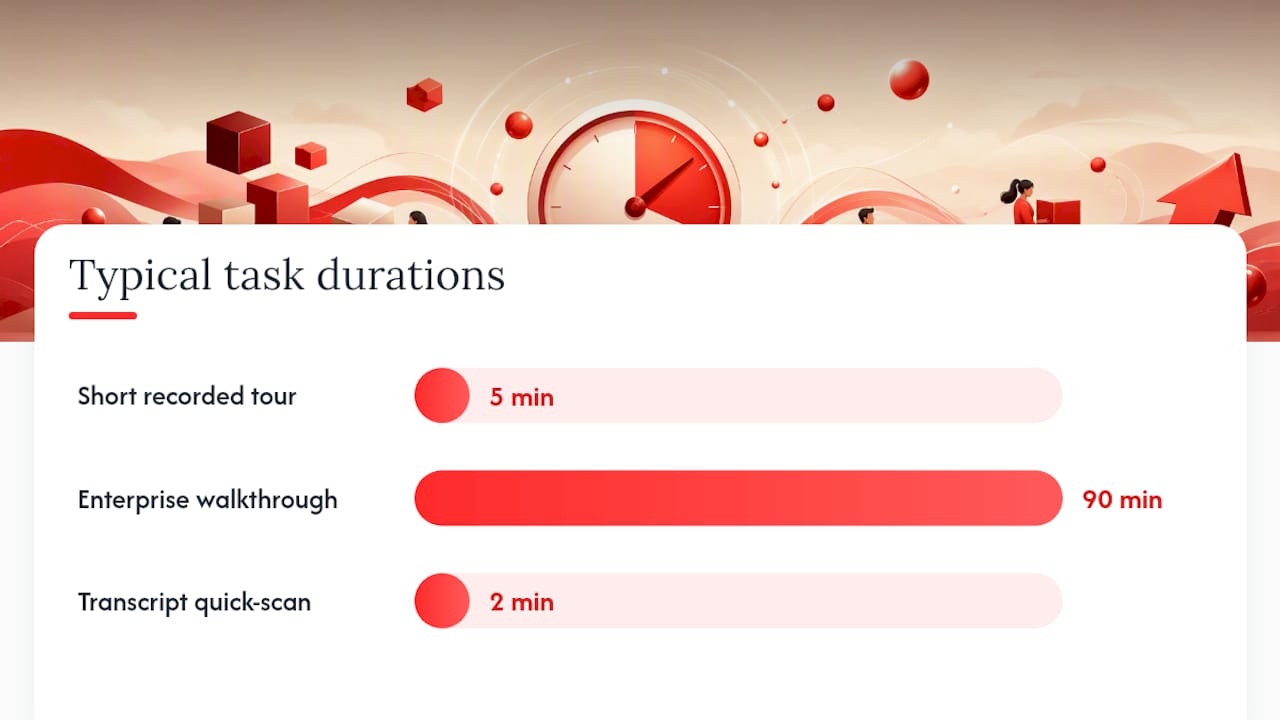
The process is the same whether you’re summarizing a five-minute recorded tour or a ninety-minute enterprise walkthrough. Only the depth changes.
- Capture it properly. Record with a tool that separates speaker audio and captures screen activity in sync, and get consent from every participant before you hit record, especially on customer calls where recording policies vary by contract. A shaky phone recording of a screen share is nearly useless once you’re two weeks removed from the call.
- Transcribe with structure. Run the recording through a transcription engine that labels speakers and timestamps sections. Skim the output once for accuracy. Automated transcripts routinely mangle product names and technical jargon, so a two-minute scan catches errors before they propagate into your summary.
- Extract the load-bearing content. Read or skim the transcript hunting for four things specifically: the stated outcome or goal, any objection or hesitation the buyer voiced, every feature mention tied to a reaction, and any commitment either side made out loud. Highlight timestamps as you go so you can pull a screenshot later if needed.
- Structure it into a template. Drop what you extracted into the deliverable format that matches your audience, sales brief, bug log, or exec recap. Don’t write new prose here. You’re slotting existing content into fixed fields.
- Polish and distribute. Read the draft once for accuracy against the transcript, confirm names and numbers are right, and send it within 24 hours while the context is still fresh for everyone involved.
The anatomy of the demo itself should guide what you extract. A demo that opens with the outcome, establishes the before state, walks one core workflow, states the impact, and ends on a next step gives you a summary practically for free, because the structure of the conversation already matches the structure of the recap. Demos that ramble through every feature in no particular order are far harder to summarize cleanly, which is itself a signal worth feeding back to whoever ran the demo.
Pro Tip: Decide your deliverable format before you start extracting. If you know you’re building a bug log, you skip past every sales objection while skimming. If you know you’re building a sales brief, you skip past every UI glitch. Deciding the template first cuts extraction time by more than half.
Ready-to-Use Templates for Common Demo Recaps
Templates only work if they’re specific enough to fill in fast. Vague fields like “notes” or “summary” invite rambling. Named fields force discipline.
One-page executive recap
- Outcome discussed (one sentence)
- Before state / problem (one sentence)
- What was shown (two to three bullets)
- Decision made or requested
- Next step, with owner and date
Keep this under 200 words. It should be readable on a phone in under a minute, since that’s often how executives actually consume it.
Sales brief
- Buyer’s stated goal
- Value propositions that resonated (ranked by reaction)
- Objections raised and how each was answered
- Competitive mentions, if any
- Next step, owner, and target date
This one runs 300 to 500 words and works best as a shared doc that the account owner updates after every touchpoint, not a static file.
Bug or feedback log
- Timestamp
- Description of the issue
- Screenshot reference or link
- Severity (blocker, major, minor)
- Reporter and demo date
This lives as a running spreadsheet or a Jira ticket queue, not a narrative document. Length depends entirely on how many issues surfaced.
| Deliverable | Primary audience | Ideal length | Best format |
|---|---|---|---|
| Executive recap | Leadership, non-attendees | Under 200 words | Doc or single slide |
| Sales brief | Account team, sales leadership | 300-500 words | Shared doc |
| Bug log | Engineering, QA | Varies by issue count | Spreadsheet or ticket queue |
| Feature catalog | Product marketing | Ongoing, cumulative | Shared database |
| Slide summary | Board, cross-functional stakeholders | 3-5 slides | Slide deck |
Export tips are worth a sentence each: sales briefs travel best as shareable docs with comment access, bug logs belong directly in whatever tracker engineering already uses, and exec recaps should be short enough to paste into an email without a link.
Which Tools Actually Help You Automate This?
Automation helps with the mechanical parts of summarizing a demo. It does not replace the judgment call of deciding what matters.
Four tool categories cover most of the pipeline:
- Transcription engines turn audio into text with speaker labels and timestamps, the raw material every other step depends on.
- Meeting AI tools go a step further, generating structured notes or highlights directly from a recorded call. Some tools can convert a demo transcript into a visual summary, complete with slides and pulled-out action items, cutting the manual extraction step down significantly.
- Visual summary generators convert long-form video into shorter clips or annotated screenshots, useful when the deliverable is a slide summary rather than a text brief.
- Connectors to CRM and Jira push extracted action items directly into the systems where sales and engineering already work, so the summary doesn’t just sit in a doc nobody opens again.
A workable automated pipeline looks like this: record the demo, run it through a transcription engine, let a meeting AI tool draft an initial extraction of outcomes and action items, drop that draft into your chosen template, then have a human review it against the recording before pushing final items into CRM or Jira. That human QA step is not optional. Teams that skip straight from transcript to distribution without a review pass tend to ship recaps with misattributed quotes or missed context, because automated extraction still struggles with sarcasm, hedged language, and multi-speaker crosstalk.
When picking tools, weigh four criteria: transcription accuracy on technical vocabulary, reliable speaker identification, the ability to capture and timestamp screenshots, and native integrations with the systems your team already uses. A tool that nails transcription but can’t tag speakers is nearly useless for a multi-person demo call.
Readers building an AI-assisted workflow from scratch might also find value in broader guidance on AI productivity tools for entrepreneurs, since the same extraction and automation principles apply well beyond demo recaps.
What Quality Checks Keep a Demo Recap Accurate?
A summary that misquotes a buyer or fabricates a timestamp does more damage than no summary at all, because people trust it and act on bad information. A short checklist before distribution catches most of the damage.
- Confirm every timestamp cited actually matches that moment in the recording.
- Verify quotes word-for-word against the transcript, not from memory.
- Check that screenshots correspond to the feature or moment described in the text next to them.
- Redact anything confidential (pricing specifics, competitor names mentioned by the buyer, internal roadmap details) before wider distribution.
- Confirm who has permission to see the recap, especially when a customer’s proprietary information came up during the call.
Consent and privacy deserve their own line of thinking, separate from accuracy. If a customer discussed their internal systems or unreleased plans during a live demo, that content needs redaction before the recap goes to anyone outside the immediate deal team, and definitely before it feeds into a feature catalog that marketing might reference later.
Approval workflows don’t need to be heavy. One reviewer, ideally someone who was in the room, should sign off before a sales brief or exec recap goes out. Practical demo guidance recommends auditing recorded demo assets on a regular cadence, quarterly is a reasonable baseline, since a recorded overview showing a UI that shipped two versions ago actively misleads anyone who watches it.
Pro Tip: Build a standing distribution list per deliverable type instead of deciding recipients fresh every time. Sales briefs go to the account team and manager by default. Bug logs go to the engineering channel automatically. Deciding this once removes the excuse to skip to send.
What Does Applied Demo Summarization Look Like in Practice?
The theory is straightforward. The practice is where most teams either build the habit or quietly let it slide after the second week.
Some tools address this same problem by applying it to long-form YouTube video instead of internal sales calls. These extensions pull out key moments from a video and show viewers what to watch and what to skip, which is functionally similar to extracting outcomes and objections from a demo recording. The underlying discipline, deciding what matters before you consume the whole thing, transfers directly.
Consider a workflow a product marketer might run today: record a competitor’s public product demo video, run it through a summarization pass to extract the features highlighted and the claims made, and turn that into a one-page competitive brief in under fifteen minutes instead of sitting through a forty-minute video start to finish. That’s the time savings compounding across every demo a team consumes, not just the ones they run themselves.
A demo summary should read like the highlight reel of a game, not the full broadcast. Nobody wants the play-by-play. They want to know who scored and what it means for the next play.
The gap between a team that does this consistently and one that doesn’t rarely shows up in any single deal. It shows up three months later, when the team with recap discipline has a searchable archive of buyer objections and the team without one is starting from zero on every new pitch.
What Most Teams Get Wrong About Demo Recaps
The biggest mistake isn’t skipping the recap entirely. It’s writing one that lists everything shown instead of what mattered. A recap that walks through fifteen features in the order they appeared on screen is a transcript with bullet points, not a summary. The reader still has to do the work of figuring out what was actually important.
The second mistake is timing. A brief written three days later, after the details have already blurred, is worse than a rougher one written the same afternoon. Speed beats polish here almost every time.
Three changes are worth adopting this quarter. First, decide the deliverable format before the demo even happens, not after. Second, assign one person as the recap owner for every demo, because “someone will write it up” reliably means nobody does. Third, build a lightweight template library now, even a rough one, rather than waiting for the perfect format. A mediocre template used consistently beats a great one that exists only in someone’s head.
None of this requires new headcount. It requires deciding, once, that a fifteen-minute recap habit is worth more than the forty minutes everyone else will spend rewatching the recording later. Try the template-first approach on your next three demos and see what breaks.
— Sergio
Try Baitless for Faster Video and Demo Summaries
Baitless is a Chrome extension that turns long YouTube videos, including recorded product demos, into concise summaries that flag what to watch and what to skip. Instead of sitting through a 45-minute recorded walkthrough to find the three minutes that actually matter, you get the key moments surfaced upfront and can decide in seconds whether the full video is worth your time.

Some Chrome extensions offer a free tier with a limited number of summary credits, intended for casual use or for testing the tool against a handful of demos and tutorials before committing to anything. Users who process video regularly may exhaust free credits quickly and choose to upgrade to a paid plan for higher volume. Install the extension from the Baitless landing page and run it against the next long demo video sitting unwatched in your bookmarks.
Sources
For readers who want to go deeper on the sourcing behind this piece:
- Your product demos suck because they’re focused on your product — First Round Review
- What Is a Product Demo? Types & Best Practices | Rimo AI
- Create Visual Product Demo Summary from Transcript | Notta
- Turn Sprint Demo Recordings into Structured Recaps | Hinto AI
- Using summaries | Monash University
FAQ
Can You Give Me an Example of a Product Demo?
A sales engineer walking a prospect through a project management tool, showing how a task moves from creation to completion in one workflow, is a typical demo. A ten-minute recorded overview embedded on a pricing page is another common example.
What Does “Product Demo” Mean?
A product demo is a guided walkthrough that shows a specific audience how a product works and why it solves their problem, delivered live, recorded, or through an interactive tour.
What Is an Example of a Summarizing Product Demo?
A one-page sales brief that states the buyer’s goal, the features that got the strongest reaction, the objections raised, and the agreed next step is a working example. A tool like Baitless applies the same principle to long-form video, extracting key moments so viewers can skip the parts that don’t matter.
How Do You Actually Summarize a Product Demo?
Capture the recording or transcript, extract the outcome, objections, and commitments, slot those into a template matched to your audience (sales brief, bug log, or exec recap), and distribute it within 24 hours while the context is still fresh.